 Find out what's involved


We are pleased to announce a significant upgrade that will make creating and sending event email smarter and smoother than before.
Our revamped Email Marketing campaign template introduces a host of customisations along with enhanced functionality to make your marketing emails more feature-rich, detailed and hyper-targeted.
Here are the details:
1. Incoming meeting and message variable added for campaign email template
What is it?
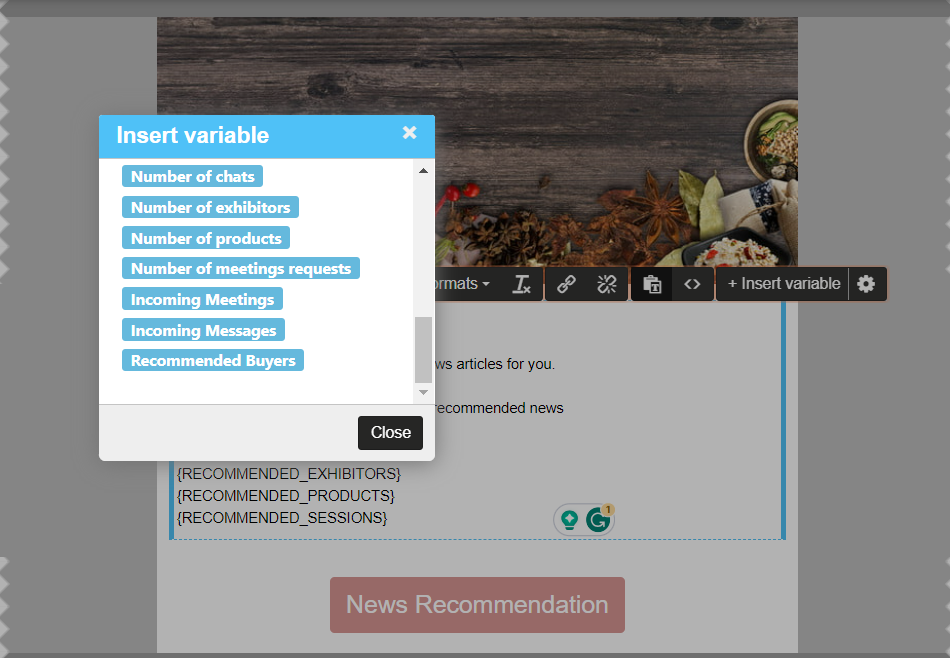
In the Admin Panel under Campaign new variable is added Incoming Meeting and Messages.
Incoming Meeting: The variable displays the count of incoming meetings for that very user, In case there are no incoming meetings it shows No Incoming Meeting to that user. When the user clicks on incoming meetings he is redirected to My Meetings >> Incoming meeting tan on frontend
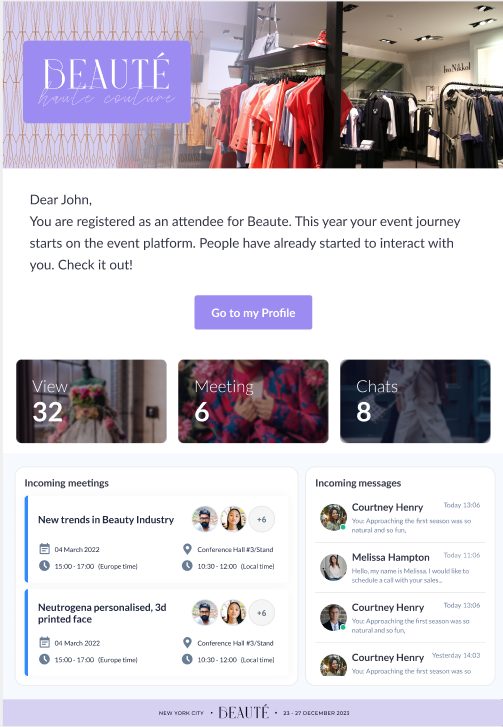
Incoming Message: The variable displays the count of messages received but not replied, by default it shows 4 incoming messages, when user clicks on any of the incoming messages he is directed to the Message tab on frontend
What are the benefits?
- Facilitates organiser to increase interaction
- User get informed about their upcoming meetings and messages even if they are not logged in to the event
2. Enhancement to the campaign module
What is it?
A few basic enhancements done to the Campaign Module in the admin panel
We have made a few basic enhancements to the Campaign Module in the admin panel to make it user-friendly
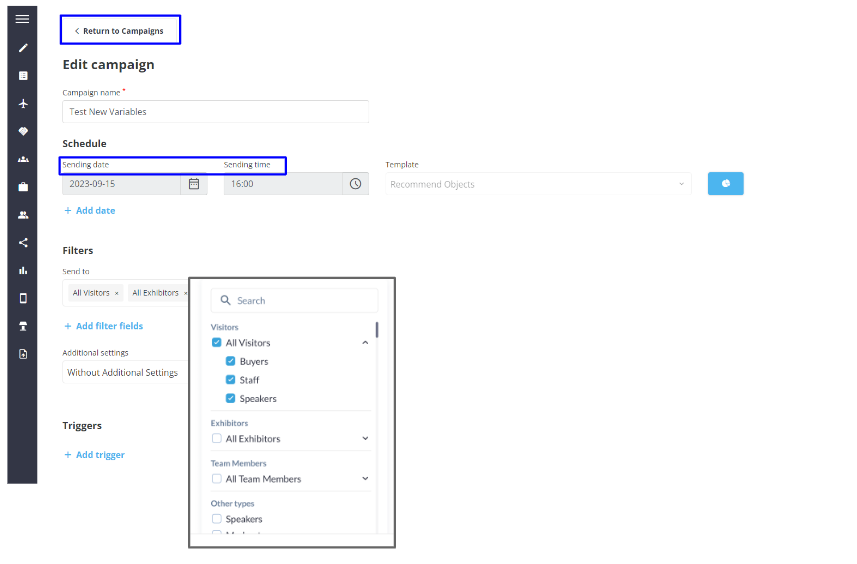
- Redesigned filters on the Add Campaign Page
- Added new button Return to Campaign
- Renamed Settings Date and Time to Sending Date & Sending Time
- Added a Stats tab on the Edit Campaign List Page to view for that set of email send
- Removed the “Reset” button if no filter is applied
What are the benefits?
- Improve ease-of-function and visibility
- Improved UI/UX
3. New variables added for the Email Campaign template
What is it?
The Campaign Email Template includes variables that display the general stats about exhibitors, products, meetings and meeting requests, views, and chats when added to the email template.
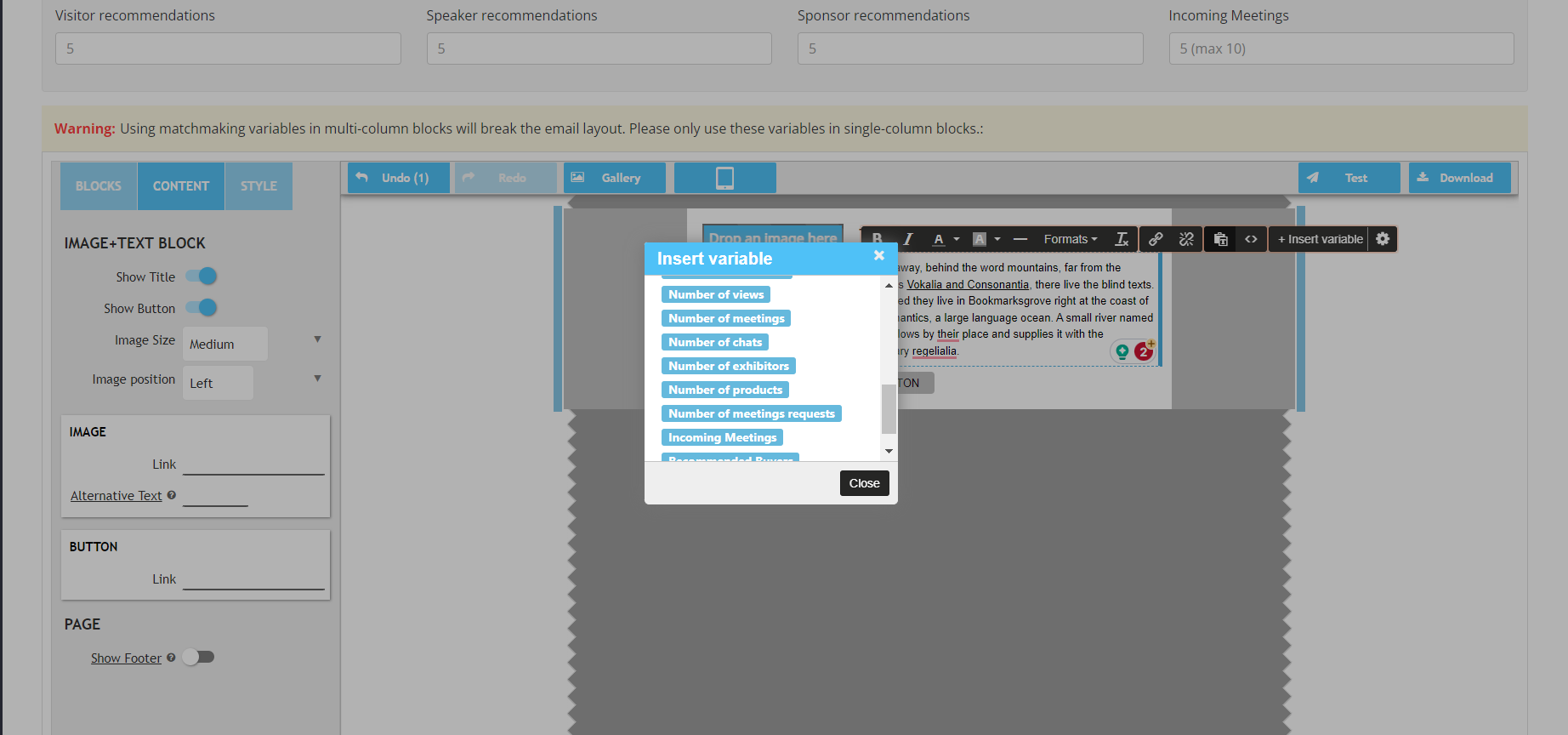
Points to be Noted
- The information for these variables are taken from Analytics/General/Dashboard
- Number of Products variable displays only active products
- Number of Exhibitor variable displays only active exhibitor and not those exhibitors who are pending activation
- Number of Meeting variable displays the count of confirmed meetings for the specific user
- Number of meeting requests variable displays the count of all meetings(pending, confirmed and cancelled) for the entire show
Number of chat variable displays the count of chats specific to that user
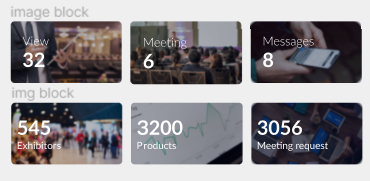
What are the benefits?
Organisers can now incorporate these variables in their marketing emails to encourage more participation/interaction at the event.
4. Enhancement to the existing recommended variable for the Email Campaign template
What is it?
We have made a few improvements to the recommended variable. When adding the recommended variable to the email template, keep the following points in mind:
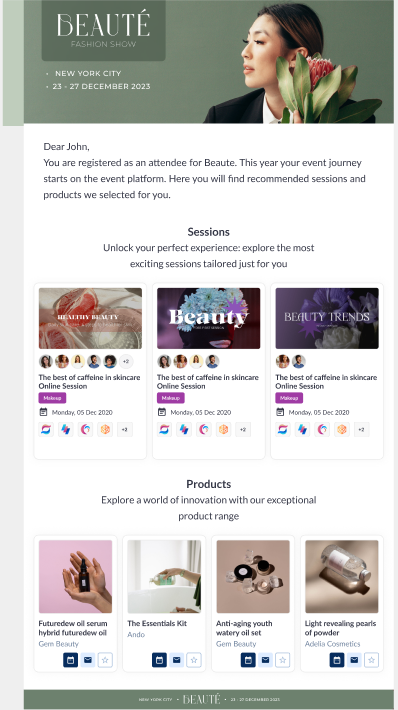
- Now these variables added are in the new UI on the email except for the participant variable (WIP)
- If the user clicks on the Meeting, Message and Favourite buttons for the recommended object in the email, that particular action is performed and the user gets redirected to the relevant page on the front end.
- Based on the restrictions/settings applied to the recommended object (products, exhibitors and visitor) profile, the interaction buttons will function accordingly for them
What are the benefits?
Improves ease-of-function and visibility of the objects in the email
What else is NEW?
✔️ Enhancement in push notifications
What is it?
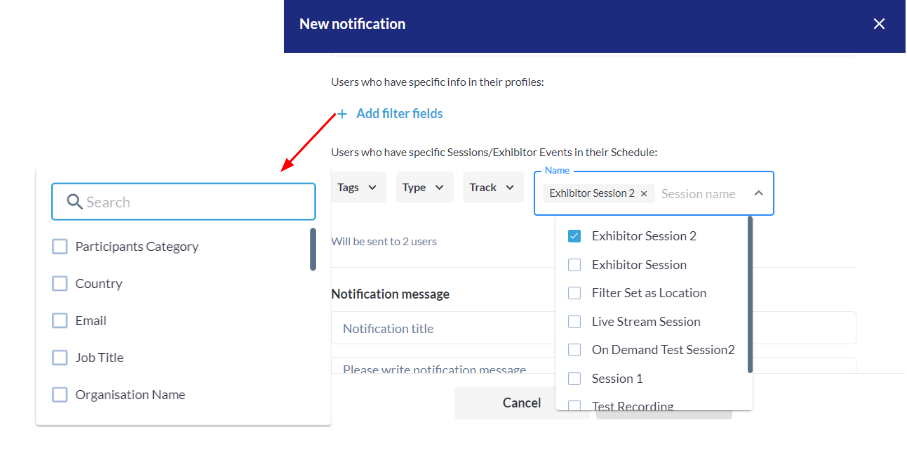
We have extended the option of adding advanced conditions and filters to whom the push notifications can be sent.
- Event admin can use Advanced filter conditions and profile attributes to send out the notification
- They can also send notifications including specific sessions and exhibitor events already added to the event
- Additionally, they can add or send notifications based on session Tracks, Tags and Type
- The Admin notifications include the option to send notifications to users who have specific sessions or exhibitor events in their schedules
What are the benefits?
- More advanced and customised filter options available to send notification
- Option to include specific session and exhibitor events in the notification
✔️ Multi-space Matchmaking
What is it?
Multi-space matchmaking provides customisations to the matchmaking calculation logic and uses additional input data that represent spaces and category filters to produce more accurate results
To enable Multi Space Matchmaking: Go to Admin Panel → Networking → Matchmaking → Enable Toggle Multi-Space Matchmaking
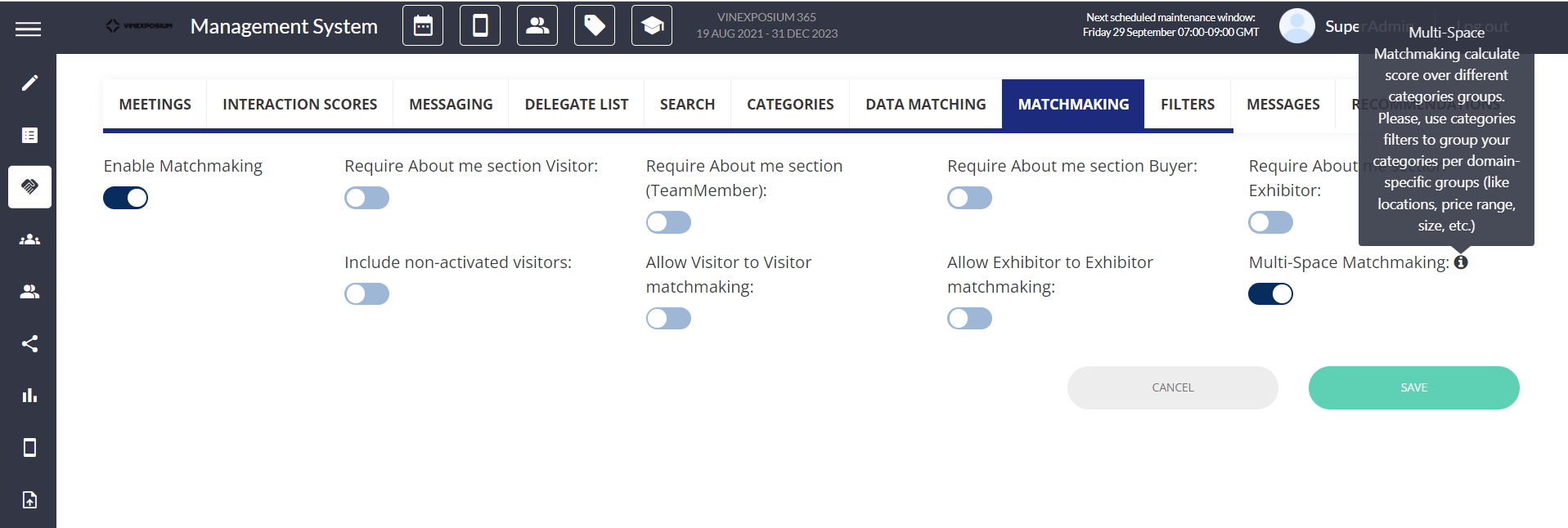
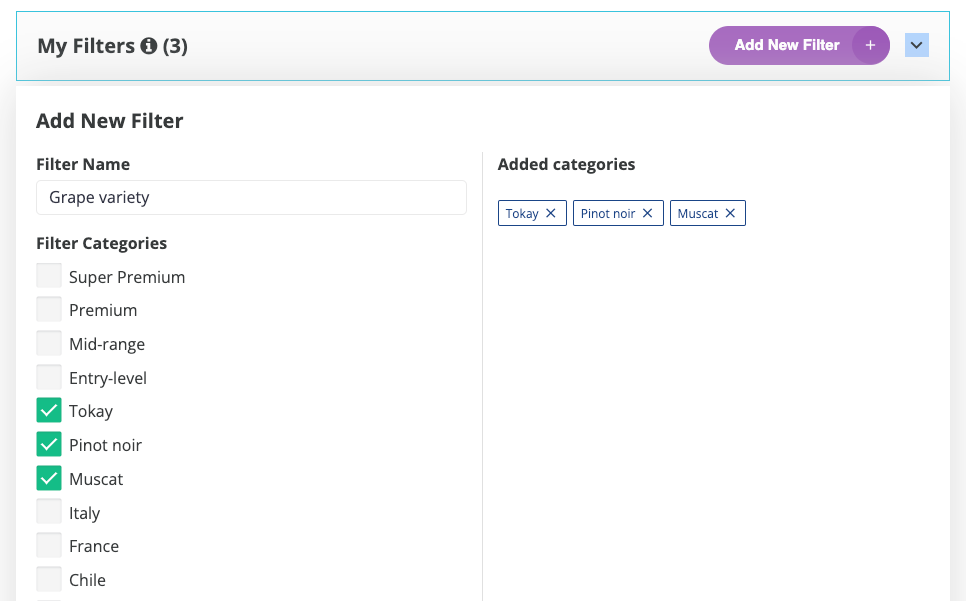
Multi Space MM includes spaces/category filters for our matchmaking algorithm. Space is a group of categories that you can set as a category filter.
For example, Grape Variety, Price Range and Country, Region & Appellation are space i.e category filter whereas Tokay, Muscat and Pinot Noir are the categories under Grape Variety space.
What are the benefits?
More accurate results for matchmade profiles based on custom category filters
✔️ Two check-in reports – unique check-in per event and per day
What is it?
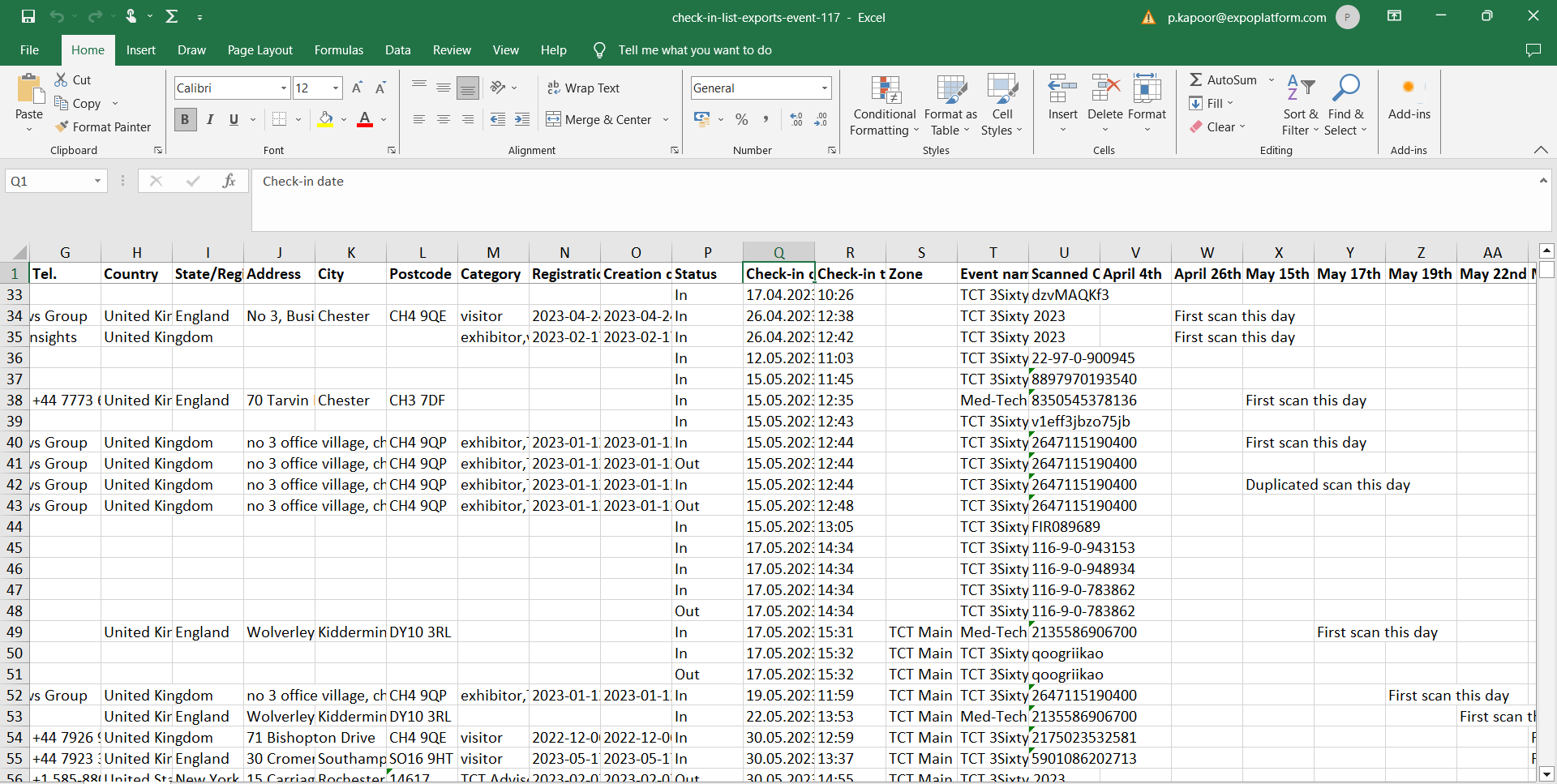
Check-In Report can be exported either as a Unique Check-In for the Event or a Unique Check-In per date
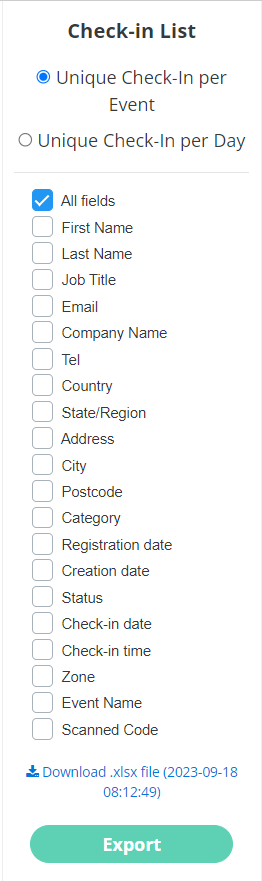
- Unique Check-In per Event: This report contains the scanned badge details of the user for the event dates only, which means the event dates added on the page admin/general/edit
- Unique Check-In per Date: This report records the details of all the scans for all dates of the event (including pre and post-event dates ). This report does not contain a Unique scan column; instead, it records the first check-in of that date and any subsequent check-ins for that user as Duplicate Check-in.
What are the benefits?
- More comprehensive report
✔️ Schedule overview in app
What is it?
We’ve now introduced the new Schedule page on the mobile application as well. It is similar to what we already have on the web. The updated schedule container page will consist of the below features
- Filters: This includes both Diary and optional activities
- Three-dots(top right): Allow the user to download his schedule or sync with an external calendar
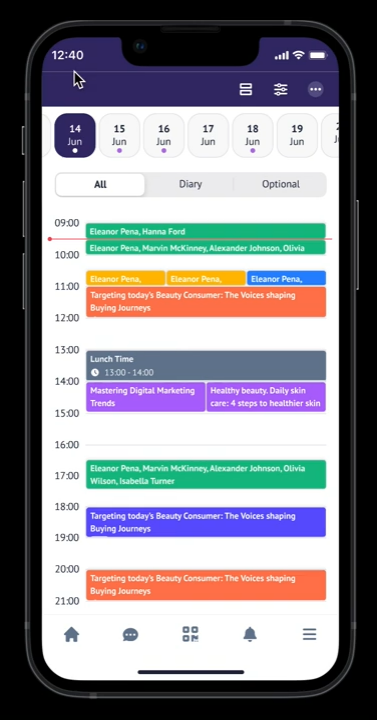
- Date picker: It will show all the event dates set in the Admin panel at /admin/general/edit + the dates outside the event schedule where the current user has events scheduled. A date that has an event schedule will be indicated with the dot
- Activities type selection: All the schedule items would be grouped into a single column with the ability to filter by All, Diary or Optional items for each date
- No diary events will overlap with each other
- The height of the event card will depend on the duration of the event
- Schedule calendar view: The user can switch between list and calendar view by clicking on (=) symbol on top right
What are the benefits?
- Advanced view for My Schedule page
- Better UI/UX