 Find out what's involved


A little goes a long way – especially when it comes to the adjustments in our latest product updates.
This new series of changes will significantly enhance the way you navigate and use our tools.
Information is now shown more clearly to better understand features, while visibility improvements of key sections make the user experience more streamlined.
Here’s a quick look at the latest changes ?
- Greater control for admins over profiles that don’t have a category
- Clear communication at different steps e.g. while downloading leads and schedules to avoid confusion
- Detailed participant profiles and meetings
A detailed explanation of all the updates ⤵️
1. Default category for participants and exhibitors
Default category for participants
What is it?
In Admin Panel we will now have a Default Category which will be auto created & assigned to Exhibitor without any Category
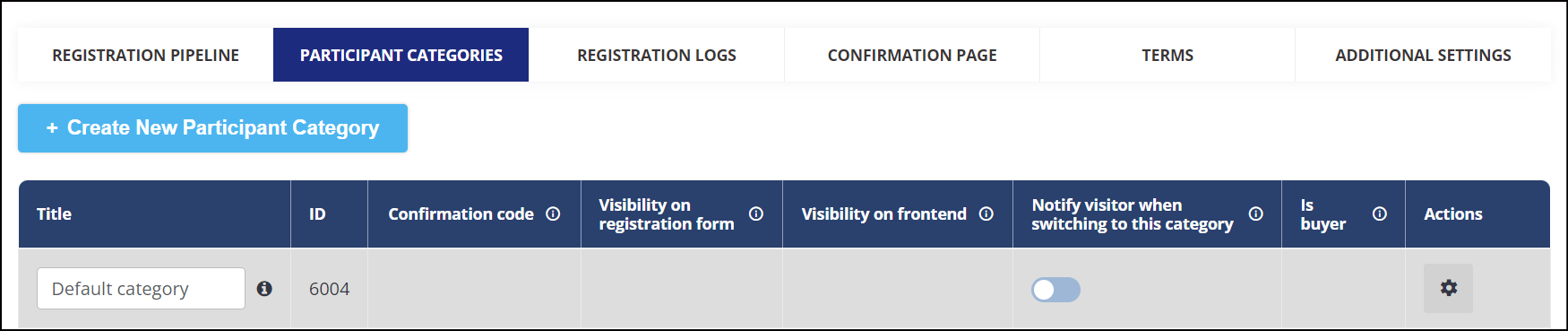
Default Category will have following
- Not Visible on Registration Form under Category Field
- Can’t be selected as Buyer
- Can’t be deleted from Participant Category List
- Not visible on Frontend Filter
- Confirmation Code & Category Passcode not applicable
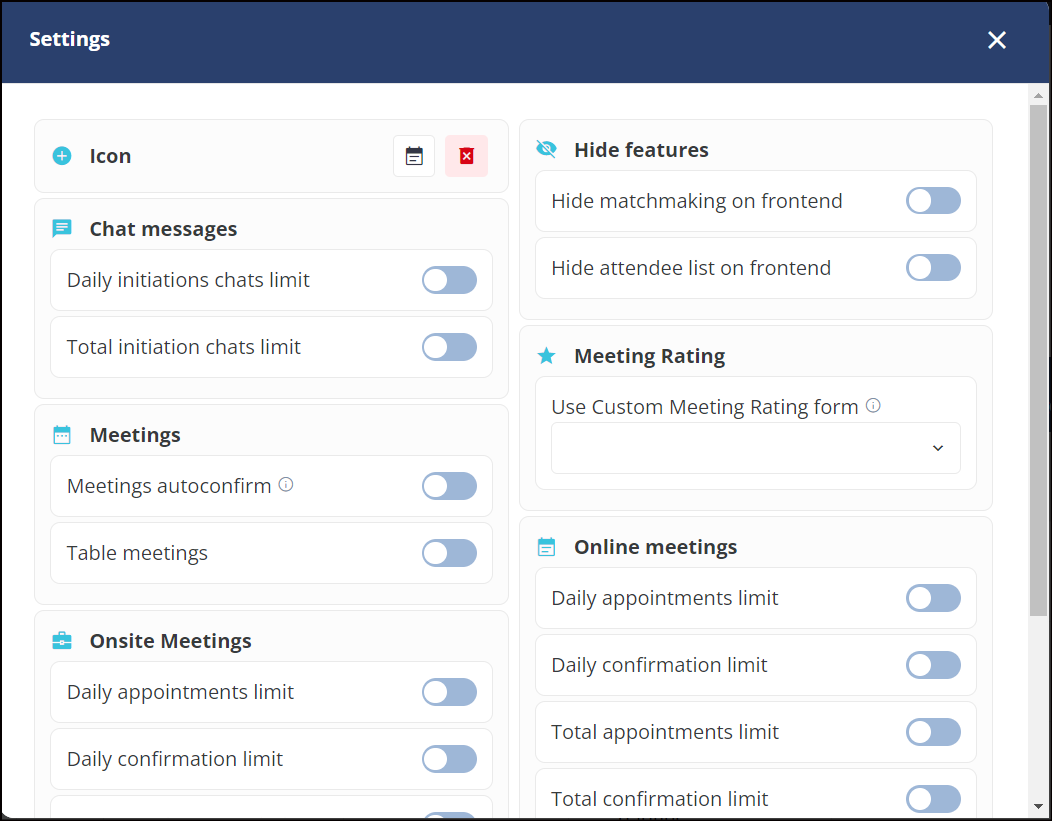
- “Settings“ pop-up can be configured like other categories
While switching Participant category from Default to Custom or vice versa, Individual level settings will always take precedence over category settings
What are the benefits?
Ease for event admins to control the accessibility for user without a category
Default category for exhibitors
What is it?
In Admin Panel we will now have a Default Category which will be auto created and assigned to Exhibitors without any Category

Default Category will have following features
- Default Category can’t be removed from the category List
- Default Category will be pinned on the top of the category list and can’t be moved
- Category Name can be changed by the organizer as per the event requirement
- Not visible on Frontend Filter
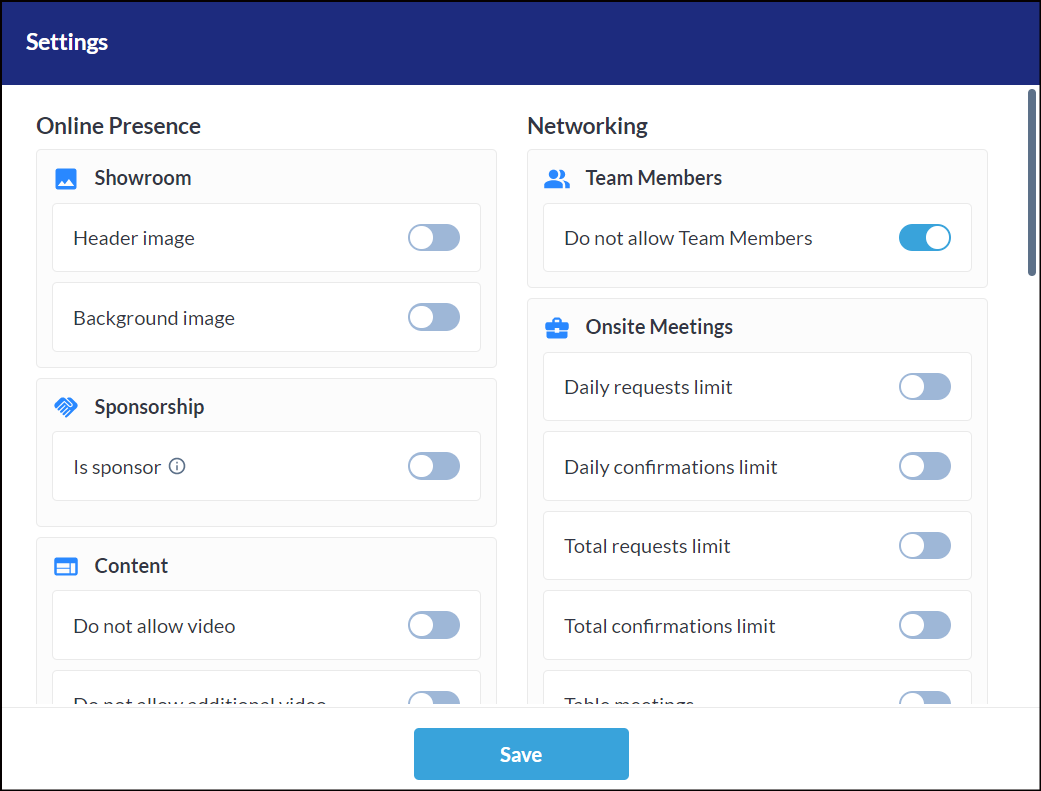
- The “Settings“ pop-up can be configured like other categories
- If any custom category is deleted then all the exhibitors with that category will be assigned Default category and will auto inherits all the settings of default category
- If the exhibitor is added to the platform without any category via import, API or manual creation will be auto-assigned with the Default category and its settings, except limits and restrictions that were set manually at the exhibitor level.
- While switching Exhibitor category from Default to Custom or vice versa, Individual level settings will always take precedence over category settings
Do not allow Team Member: Default State On
Do not allow Active Product: Default On
Do not allow News: Default On
What are the benefits?
Ease for event admins to control the accessibility for user without a category
2. Improved meeting rescheduler
What is it?
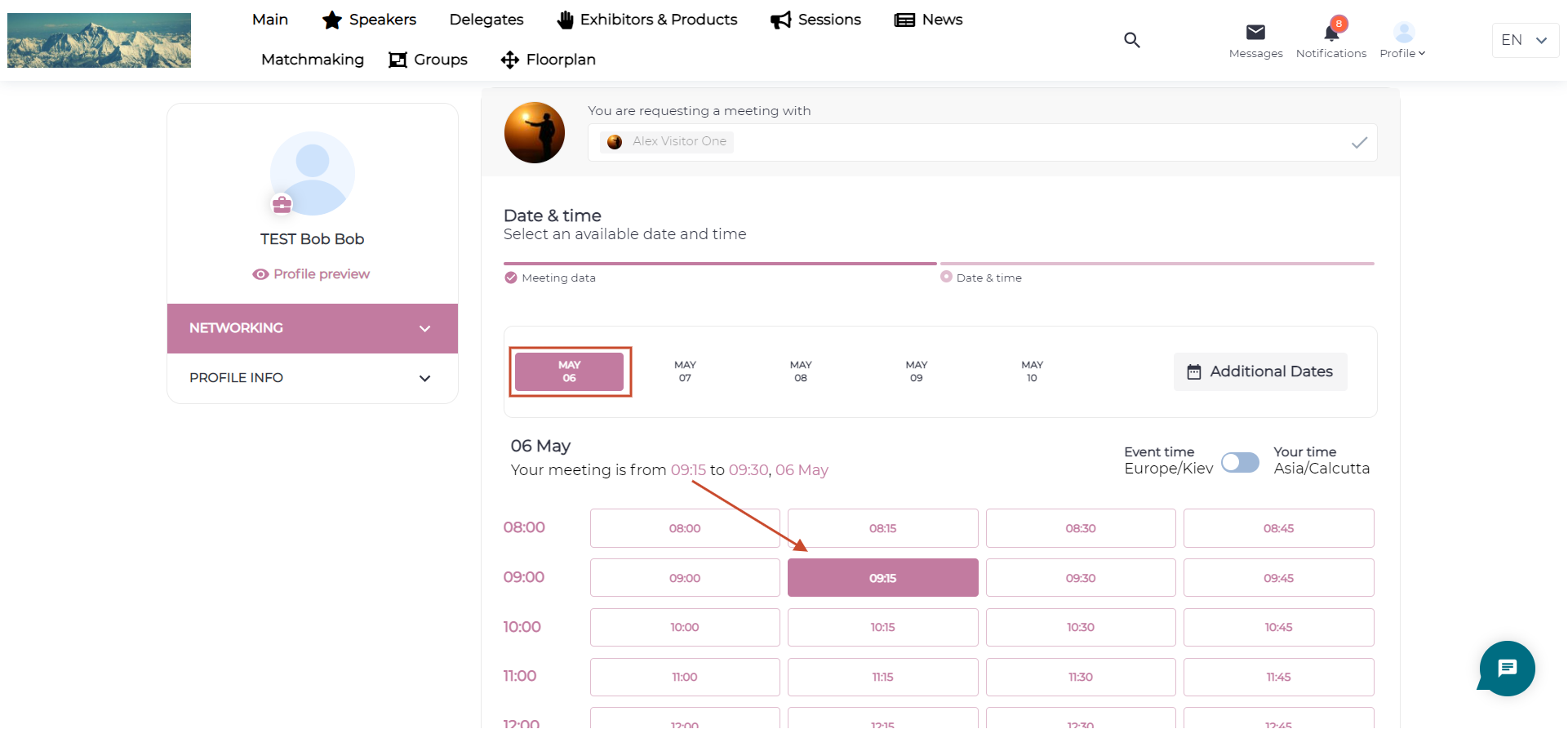
We have 2 minor improvements on rescheduling a meeting
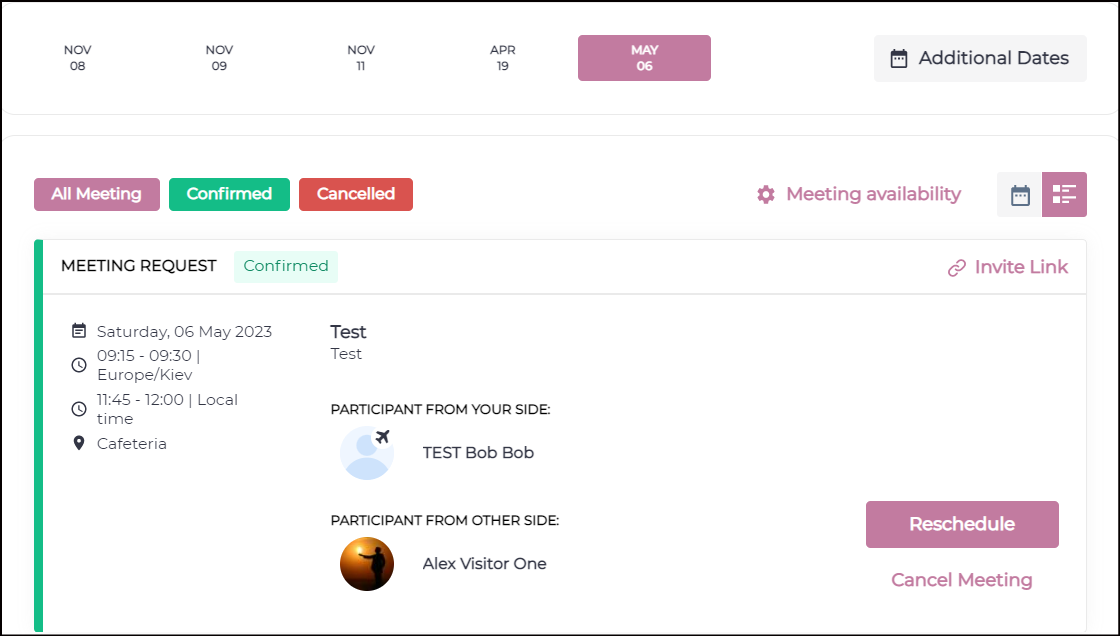
- On “Date & time“ step the current meeting date will be opened and current meeting time will be preselected by default
- A text line added “Your meeting is from…
What are the benefits?
Better visibility of meeting’s current date and time while rescheduling the meeting
3. Renamed export data button
What is it?
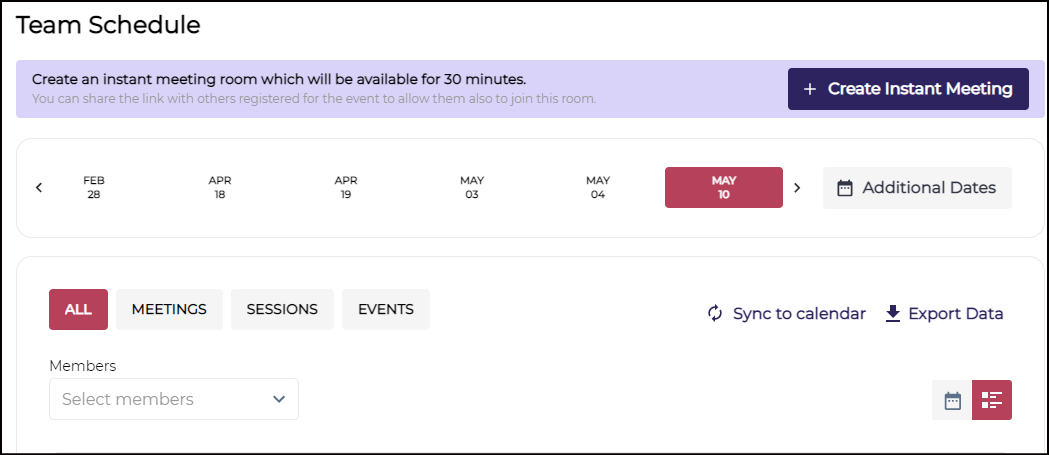
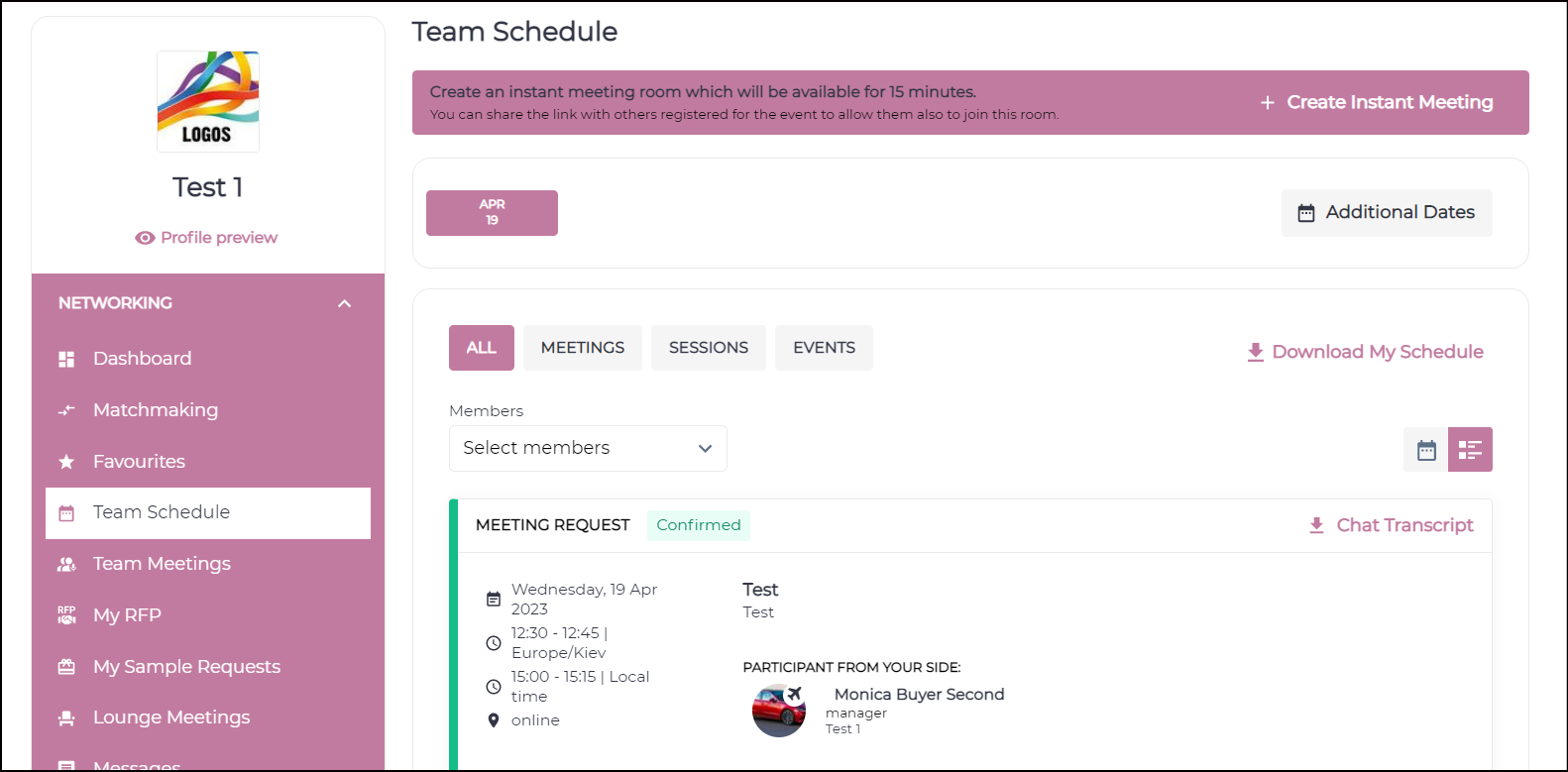
Export Data button under My schedule has been renamed to Download My Schedule for both visitor and exhibitor profile.
What are the benefits?
More clarity to the user on what details are being downloaded
4. Direct access to participant’s company on Matchmaking tab
What is it?
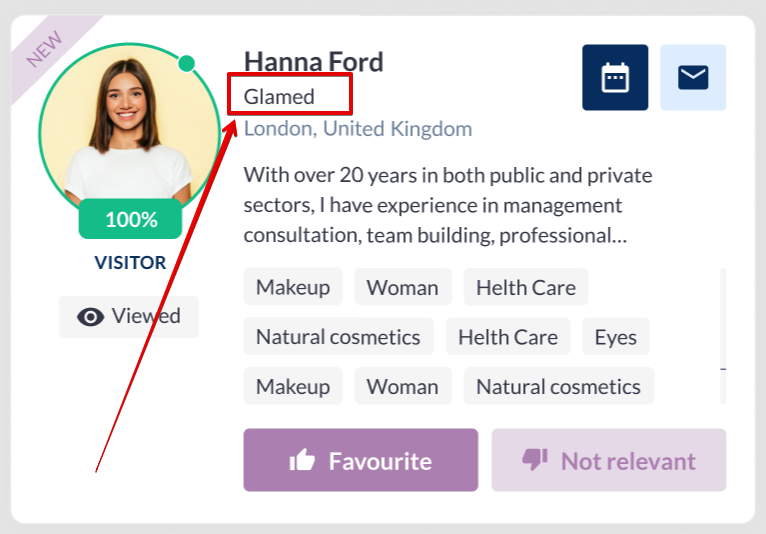
Company Name field added for the participant card below participant name on Matchmaking Tab.
This value will get displayed only if the participant has filled this field in his profile
This has to be done for all participant types: visitors, team members, buyers, speakers, etc.
What are the benefits?
User will get company details of the matchmade user directly from the matchmaking tab
5. User-friendly error message when inactive users log in
What is it?
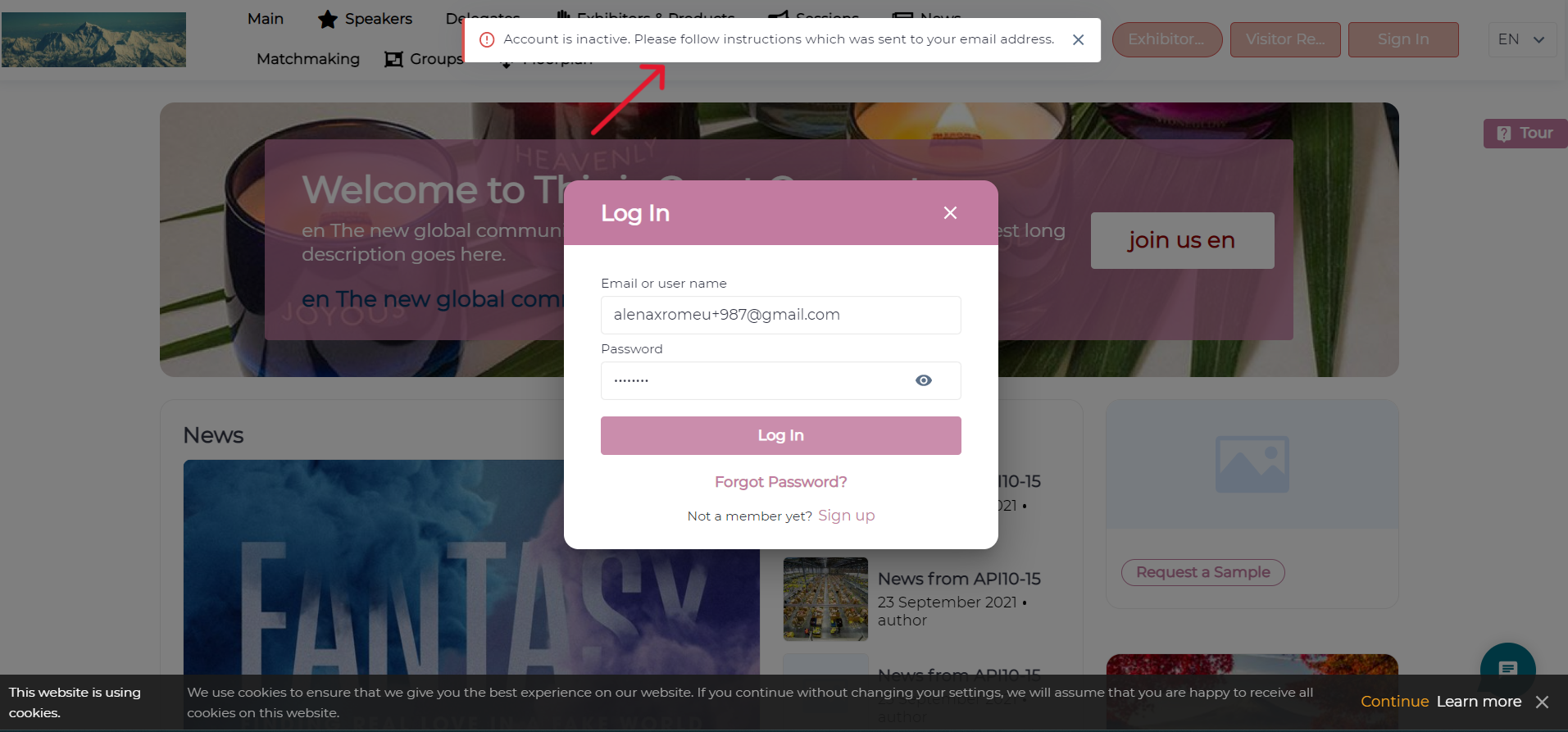
If inactive users tries to login to the event, the system will show error message as
“Your account is inactive, please check your email and proceed with activation”
This give clear reason to the user for not able to login to the event.
On App user will also get an option to resend the activation email to activate their profile
What are the benefits?
- User friendly
- Ease in activating the profile and accessing the event
- Clear message to user for not able to login to the event
6. Lead downloads to include all meeting requests
What is it?
Download Lead and Badge scan report will now includes all meeting request that have been booked with the user instead of just confirmed meetings
Admin Panel Setting: /appointments/shared enable toggle Include all meeting status.

Default State : OFF
If “Had a meeting” toggle is OFF, then “Include all meeting statuses” toggle should be perceived as OFF too

What are the benefits?
- Ability to download all meeting request with their status
- More precise meeting data for the user
7. Detailed meeting card
What is it?
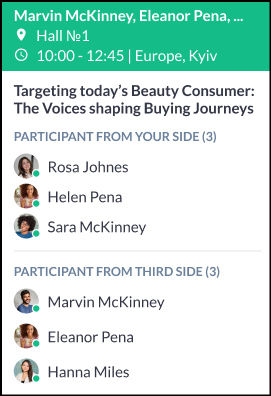
Changed look and feel of the meeting card on My Schedule and My Meeting Page for Calendar View
- When hovered Colored Part : will show the participants Name, Location and timing of the meeting
- White Part will first show the meeting title and then participant list from both the initiator and receiver end
Applicable on web only
What are the benefits?
More details about the meeting on calendar view