 Find out what's involved




A seamless event check-in reduces complications for organizers and provides a more streamlined experience for attendees.
That’s why we have implemented a series of updates to our Check-In App to make it more user-friendly and intuitive.
These upgrades include:
- Simplified navigation for intuitive session check-ins
- Smart scanning functionality
- Design improvements for a better visual experience
- Updated app icon and enhanced interface
Read below for the full details.
What’s included
Simplified Navigation ?
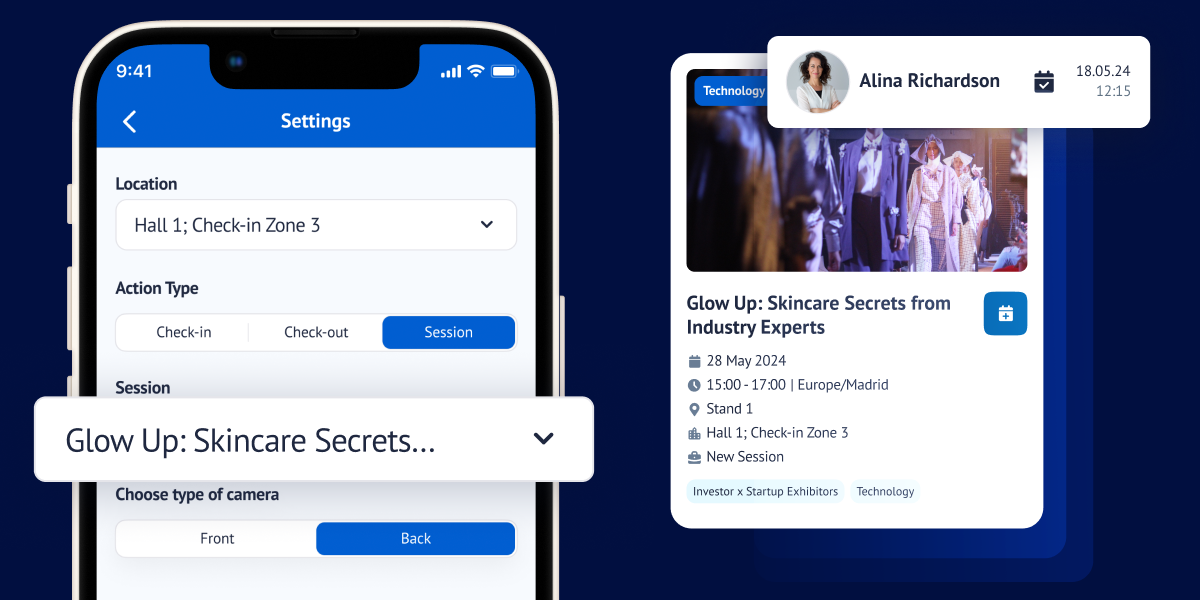
New settings screen: This streamlined screen allows you to easily manage your check-in options. Choose your check-in zone (halls, stands, or custom areas) and select your desired action (check-in, check-out, or session check-in).
Intuitive session check-in: For session check-in, a new selector displays only the sessions or events relevant to your chosen location. Simply pick the session you want to attend.
Enhanced Scanning ?

Improved accuracy: The app’s scanning logic has been refined to ensure precise data capture.
Clearer feedback: You’ll receive confirmation messages directly on the app, including a helpful notification if you’ve already scanned in for the same location that day.
Streamlined workflow: A one-second delay between scans prevents accidental duplicates and keeps the process moving smoothly.
Visually Appealing Design ?
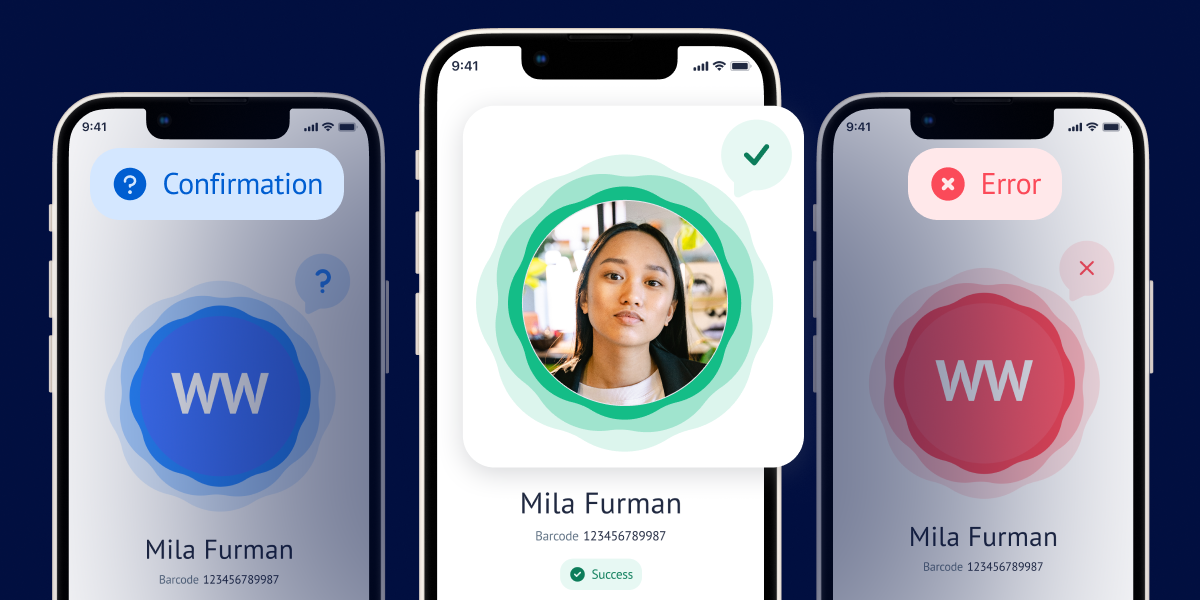
Fresh app icon: We’ve updated the app’s icon for a more modern look.
Enhanced interface: Enjoy a redesigned success/error screen and check-in list, making it easier to navigate and understand the information displayed.
What else is NEW?
Viewing Daily Schedule on Meeting Creation Page
What is it?
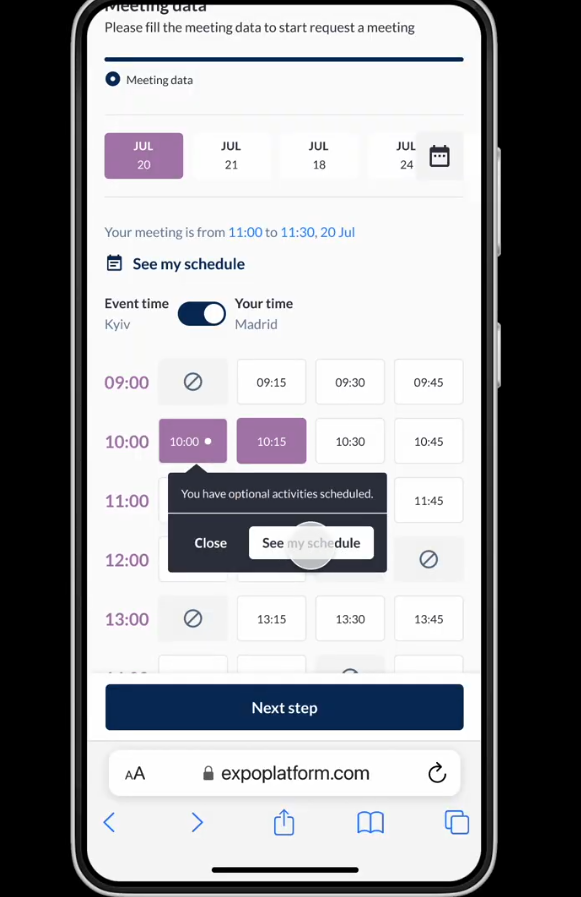
Tooltips added to the meeting creation page for user to view the reason why a time slot is unavailable in the time cell on the meeting creation page. The user can hover their cursor on the Not Available slot in the time cell to know the reason for the unavailability of the slot. Below are the reason for unavailability of the slots
- Location is not available.
- The organizer did not include the slot in the available dates and times.
- Other party is not available at this time
- User/TM already have a meeting booked at this time.
- User/TM is part of a session/ event at this time.
- User/TM has already booked a session/eh event at this time.
- User/TM has a blocked time
- Part of the selected time is unavailable for the meeting
- If User/TM has an optional activity booked at this time a dot appears on the time slot as soon as the user select the time slot
What are the benefits?
- This enhancement also informs the user about the reason for the unavailability of any time slot while scheduling a meeting.
Option to record timestamp for a specific field in the registration form
What is it?
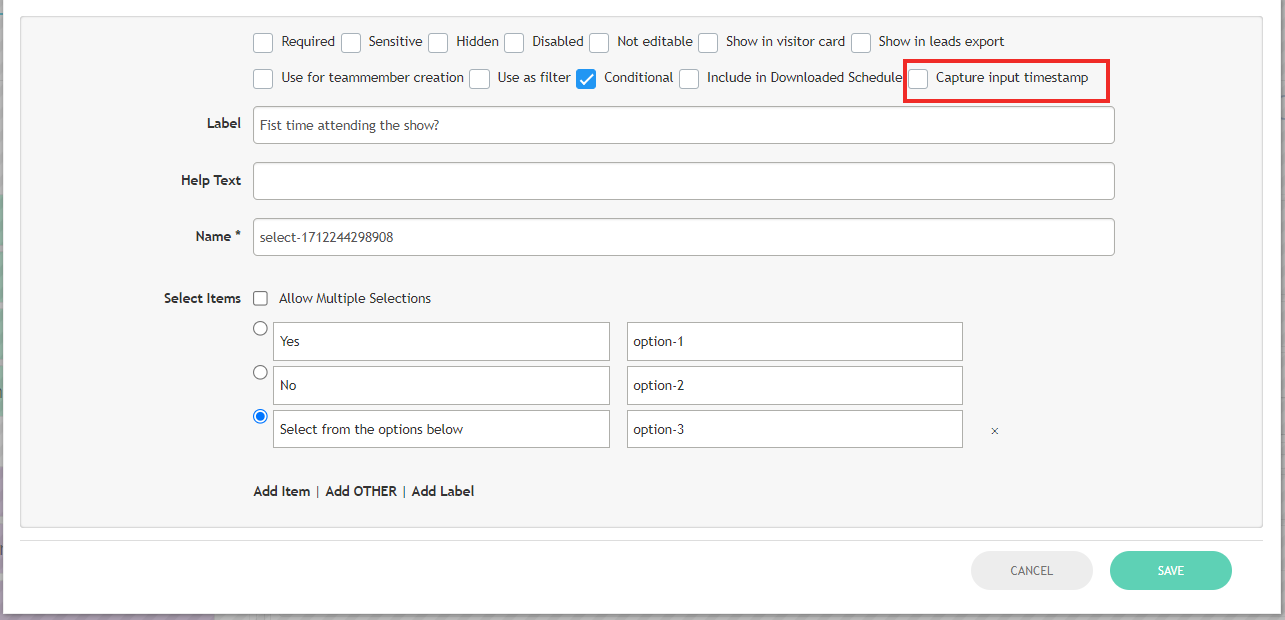
A new attribute is added to the registration pipeline field which when enabled records the timestamp when the data is inputted for that field by the user
Points to be Noted
- When the timestamp recording feature is activated for a field, the export report will include the corresponding timestamp for that field. The column name for the timestamp will be generated as “Timestamp” plus the name of the field for which the timestamp is enabled.
- The timestamp is captured in the format dd-mm-yy hh:mm:ss and reflects the local time zone of the event.
- When data is received through the registration form, the system captures the latest timestamp before the registration is completed.
What are the benefits?
- This improvement allows organiser to record timestamps for data entered into specific fields on the registration form.
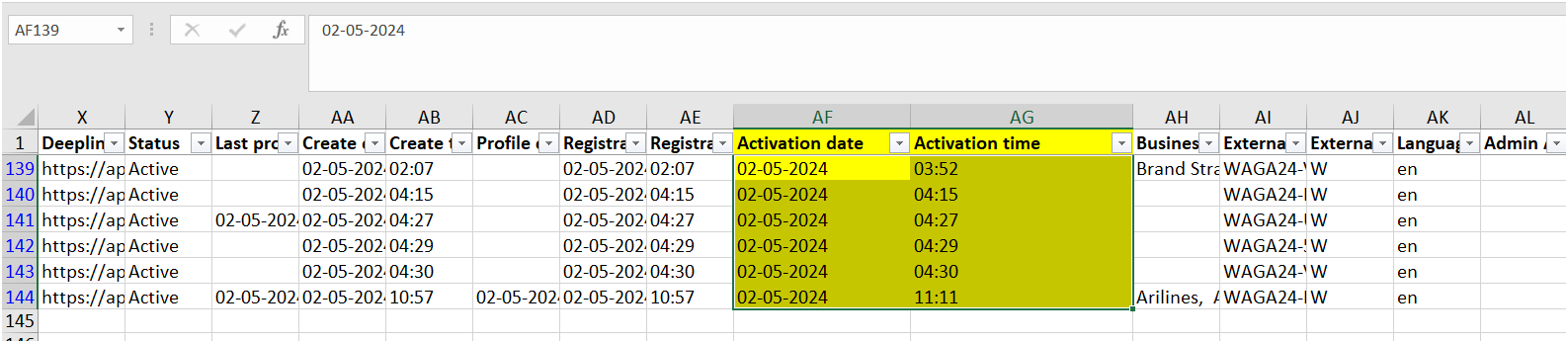
Add the timestamp of account activation in the Visitor exports
What is it?
Two new columns are included in the visitor export file that records the timestamp when the user has activated his profile. The account activation can be through activation link or by API call
The format in which the date and timestamp is available is dd-mm-yy & hh:mm:ss and reflects the local time zone of the event.
What are the benefits?
- Including this new field in the visitor export file provides organizers with details on when a user has activated their profile.